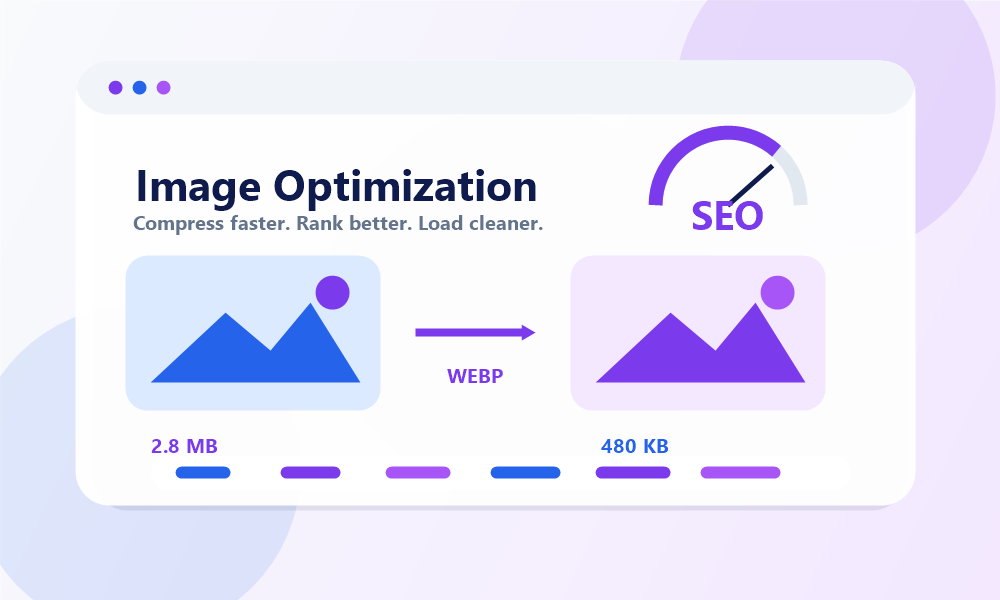
Images are the lifeblood of the modern web. They capture user attention, enrich editorial content, explain complex concepts, and drive conversions in e-commerce stores. However, images also account for the vast majority of download bytes on an average web page. When images are left unoptimized, they severely clog browser pipelines, leading to slow page loads, poor search engine rankings, and high bounce rates.
In this technical manual, we will explore the engineering, physics, and SEO dynamics of image optimization. You will learn how compression operates, how next-generation formats are reshaping bandwidth limits, and how to apply these rules to keep your website loading instantly.
1. The Direct Correlation Between Image Size and Web Performance
Every element on a web page requires a network round-trip to load. When a user requests your site, the browser downloads the HTML file, parses it, and then requests referenced assets—including CSS, JS files, and images. Large, raw photos taken from digital cameras or smartphones often exceed 5 Megabytes (MB) in size. Over a standard mobile connection, loading even one such asset can take several seconds.
According to research by Google, as page load time increases from 1 second to 3 seconds, the probability of a mobile visitor bouncing (leaving the site immediately) increases by 32%. If the page takes 5 seconds to load, the bounce probability climbs by a staggering 90%. By minimizing image file sizes, you directly reduce the bandwidth load, allowing browsers to render pages faster and keep users engaged.
2. Understanding Core Web Vitals (LCP & CLS)
In 2020, Google introduced Core Web Vitals as a set of standardized metrics to evaluate how users experience a page's speed, responsiveness, and visual stability. Images play a major role in two of these three key metrics:
- Largest Contentful Paint (LCP): This measures how long it takes for the largest visual element on the screen (often a hero image or banner) to render. If your main hero image is uncompressed, your LCP score will drop, indicating a poor user experience.
- Cumulative Layout Shift (CLS): This measures visual stability. If your images do not have defined width and height attributes in the HTML, the browser will not know how much space to allocate for them before they load. When the image finally renders, it will push text and elements down, causing a jarring layout shift that ruins readability.
3. Lossless vs. Lossy Compression: The Engineering Behind the Bytes
When optimizing images, developers choose between two primary methods of data compression:
Lossless Compression
Lossless compression reduces file size without discarding any pixel information. It works by removing metadata (such as camera parameters, dates, and GPS coordinates) and optimizing how pixel configurations are mathematically indexed. The output is identical to the original image down to the individual pixel, but the file size reduction is usually moderate (often 10% to 30%). Lossless compression is ideal for images that require pixel perfection, such as technical diagrams, logos, and medical graphics.
Lossy Compression
Lossy compression permanently discards less essential visual details that the human eye is not highly sensitive to, such as minute differences in neighboring color shades. By tuning the quality index (typically between 70% and 80%), developers can achieve file size reductions of up to 70% to 90% with almost no visible loss in quality. This is the preferred method for photographic content, where minor color merges are imperceptible but the bandwidth savings are massive.
Optimize Your Images in Seconds
Reduce file size by up to 90% while maintaining pixel-perfect quality using our free Online Image Compressor.
Compress Images Now4. Navigating Modern Image Formats
Choosing the correct file extension is one of the easiest ways to optimize performance. Let's compare standard formats against next-generation solutions:
- JPEG: Best for photographs. It supports lossy compression and handles complex gradients, but lacks support for transparency.
- PNG: Supports lossless compression and alpha-channel transparency. It is the best choice for screenshots, graphics with text, and detailed designs, but results in large file sizes for photographic images.
- WebP: A next-generation format developed by Google. It supports both lossy and lossless compression, as well as transparency and animations. WebP files are typically 25% to 30% smaller than JPEGs and PNGs at equivalent quality, making it the current standard for modern web design.
- AVIF: An even newer open-source format that offers up to 50% better compression than JPEG. It provides exceptional quality with ultra-small sizes, though browser support is still growing.
5. Best Practices for Image SEO
Image optimization isn't just about speed; it's also a powerful channel for driving search engine traffic through Google Images. To optimize your images for crawlers, follow these rules:
- Use Descriptive File Names: Instead of uploading `IMG_48291.jpg`, rename the file to `blue-leather-running-shoes.jpg`. This helps Google understand the subject of the photo before reading the page.
- Leverage Alt Text: The `alt` attribute (alternative text) provides a textual description of the image for visually impaired users and search engine bots. Keep it descriptive, natural, and avoid keyword stuffing.
- Responsive Images: Use the `srcset` and `sizes` HTML attributes to supply the browser with a list of image versions at different widths. A mobile phone should never download a 1920px desktop hero image when a 400px version is sufficient.
- Specify Dimensions: Always include `width` and `height` properties in your `
` tags to prevent layout shifts (CLS) and help the browser render the page layout structure immediately.
Conclusion: A Fast Web is a Winning Web
In summary, image optimization is not an optional polish; it is a critical requirement for search visibility and visitor retention. By formatting, resizing, and compressing your images, you directly improve your site's speed, satisfy Google's Core Web Vitals, and enhance readability for every user. Make image optimization a regular step in your publishing workflow, and watch your technical health and rankings soar.